 MacFanPilot
Custom presets
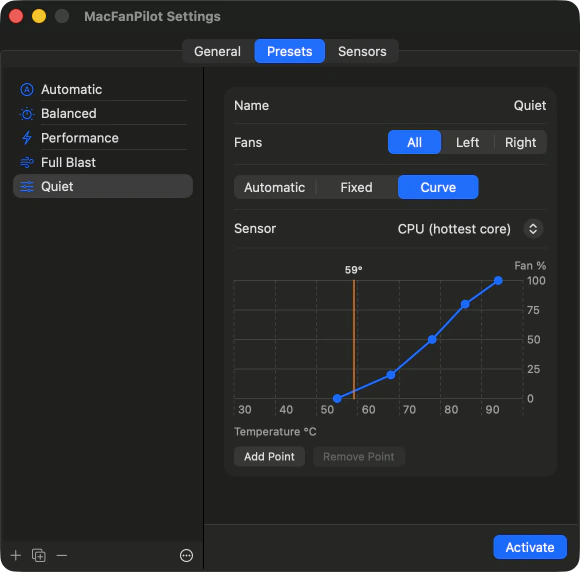
Hold a fixed speed in rpm, or draw a curve of 2 to 8 points that follows the hottest CPU core, the CPU average, the GPU, or the hottest sensor overall.

v1.1.0Free · Open source · MIT license
MacFanPilot shows your CPU and GPU temperature and fan speed at a glance, and lets you decide how the fans behave: leave them to macOS, follow a temperature curve, or hold a fixed speed.
macOS asks you to approve the app the first time you open it. It takes about a minute. See how →MacFanPilot is a Mac app. It does not run on phones or tablets — open this page on your Mac to download it.

Built with SwiftUI, no third-party code, about 1 MB. Lives in the menu bar with no Dock icon.
No account, no analytics, no network connections at all. Nothing leaves your Mac.
If the app quits, crashes or loses its sensors, macOS takes over the fans again.
Switch with one click from the popover. Drag the temperature to see how each built-in preset responds.
Hottest sensor
AutomaticmacOS
macOS controls the fans.
Balanced37%
Rises from 50 °C to full speed at 92 °C.
Performance75%
A steeper curve, from 40 °C to full speed at 85 °C.
Full Blastfull
Maximum speed.
Each bar is what the preset asks for, as a share of the fan’s range between its minimum and its maximum speed. Automatic leaves the fans to macOS.
Hold a fixed speed in rpm, or draw a curve of 2 to 8 points that follows the hottest CPU core, the CPU average, the GPU, or the hottest sensor overall.
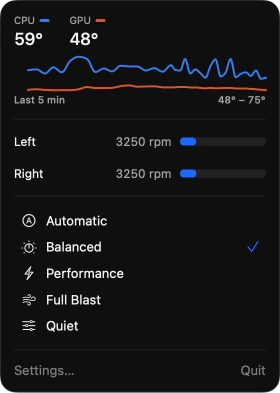
CPU and GPU temperature, a chart of the last five minutes, the speed of each fan, and one-click preset switching.
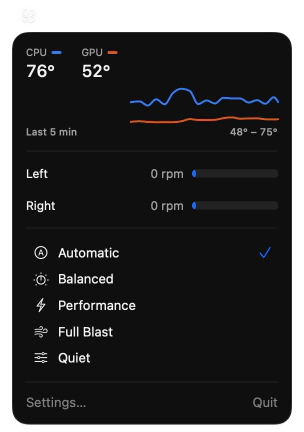
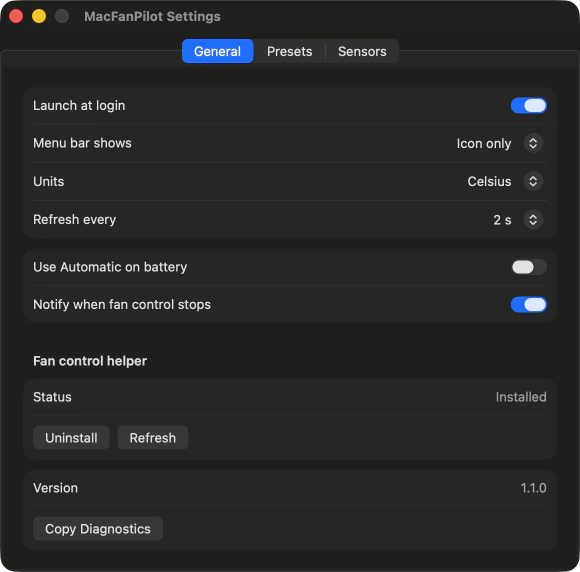
Icon only, CPU temperature, fan speed, or both. An outlined fan means macOS controls the fans; a filled fan means a preset is running.
On a Mac with two fans, each fan can have its own mode.
Save presets as a file to move them to another Mac.
Optional. Presets pause on battery and return when power is connected.
A “Set Fan Preset” action for the Shortcuts app, usable from keyboard shortcuts and automations, and a Focus filter that switches preset while a Focus is on.
Optional. Get an alert when fan control stops or the overheat protection takes over.
Lists every temperature sensor the Mac exposes.
Restores the last preset. Celsius or Fahrenheit.
The fans are driven by a small system helper, and that helper is the safety net. It gives the fans back to macOS when:
fans returned to macOS
If any CPU or GPU sensor reaches 100 °C, every fan runs at full speed until it cools to 95 °C, whatever the preset says.
It never asks a fan for a speed outside the range the fan itself reports.
Fan control changes noise and temperature. It does not switch off the chip’s own thermal protection.
Please note. Fan control on Apple Silicon relies on behaviour Apple does not document, and a macOS update can change it. If control is refused, MacFanPilot says so and keeps working as a monitor. The software is provided as is, without warranty.
Privacy
MacFanPilot contains no networking code. It has no account, no telemetry and no update checks. Presets and settings are stored only on your Mac. The source code is public, so this can be checked.
Download and install
MacFanPilot is not notarized by Apple, so macOS will not open it on the first try. That is expected. You approve it once in System Settings, and the steps below show how. The app is open source, and you can verify the download with the checksum below or build it yourself.
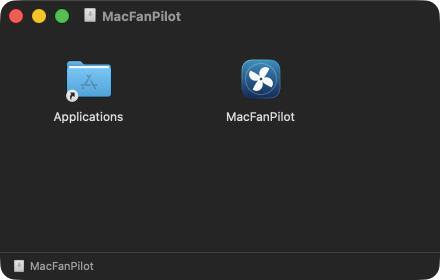
Open MacFanPilot-1.1.0.dmg and drag MacFanPilot into Applications.
It must run from Applications; fan control cannot be set up while the app runs from the disk image.
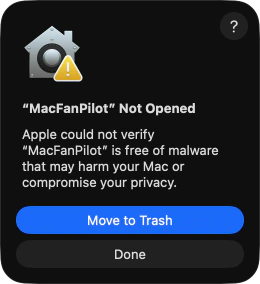
Open MacFanPilot from Applications. macOS shows a warning that Apple could not verify the app. Click Done.
Do not click Move to Trash. It is the highlighted button, so do not press Return either.
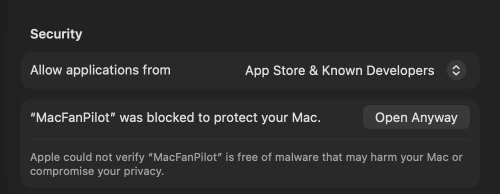
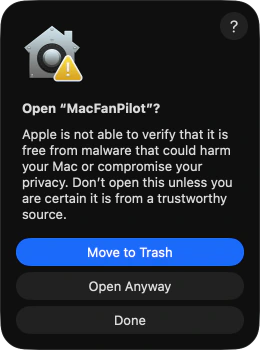
Open System Settings → Privacy & Security and scroll down to the Security section. Next to the message that MacFanPilot was blocked, click Open Anyway, confirm with Open Anyway again, and enter your password or use Touch ID. You only do this once.
Instead of step 3, remove the quarantine flag with this command:
$ xattr -dr com.apple.quarantine /Applications/MacFanPilot.appMacFanPilot has no Dock icon and no window. Look for the fan icon in the menu bar and click it.
Temperatures and fan speeds work straight away, with no further permission.
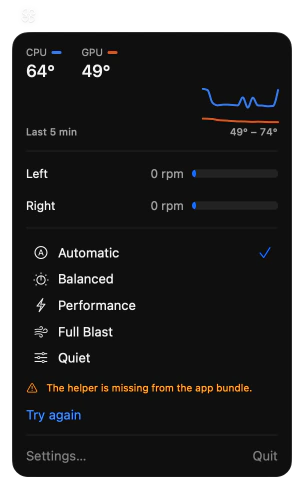
In the popover, click the link under the presets. On a first install it reads Try again; if the helper was installed on this Mac before, it reads Install helper to control fans…. System Settings opens at General → Login Items & Extensions (called Login Items on macOS 14). In the list of apps allowed to run in the background, switch MacFanPilot on and confirm with your password or Touch ID. Go back to the menu bar icon and pick a preset.
Until you approve it, the popover shows “Allow MacFanPilot in Login Items to control fans…”, which opens the same place.
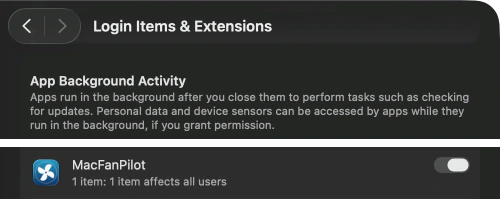
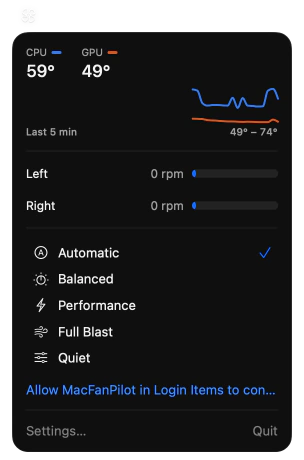
Click Settings… in the popover to turn on Launch at login, choose what the menu bar shows, or switch Notify when fan control stops off.
macOS asks once for permission to show notifications, the first time there is something to report.
Supported
Apple Silicon Macs on macOS 14 or later.
Tested
MacBook Pro with M3 Pro on macOS 26. Other models are expected to work but are untested.
Fanless Macs
MacBook Air: temperature monitoring only.
Not supported
Intel Macs.
Tried it on another Mac? Use Copy Diagnostics in Settings and open an issue on GitHub to report how it went.
Notarization is a paid Apple service this project does not use yet. The app is signed by its developer and its source is public, but Apple has not scanned it, so macOS asks you to approve it yourself.
The helper keeps fans within the limits the hardware reports, forces full speed if anything reaches 100 °C, and returns control to macOS when something goes wrong. The chip’s own thermal protection stays active. It is still software that relies on undocumented behaviour and comes without warranty, so use Automatic if you are unsure.
MacFanPilot lives only in the menu bar. Look for the fan icon at the top right of the screen. If the menu bar is crowded, the icon may be hidden behind other icons or the notch.
On a Mac that has never had the helper, that is how version 1.1.0 words “not installed yet”. Nothing is missing. Click Try again right below it and carry on with step 5 of the install guide.
The preset could not be kept running. The popover shows the reason, the app retries by itself, and choosing the preset again retries at once.
Not at the same time. Quit the other app first.
No. The app makes no network connections.
Download the new version, quit MacFanPilot, and replace the app in Applications.
Click the menu bar icon, then Settings… → General → Fan control helper → Uninstall.
Quit MacFanPilot and delete it from Applications.
Optional, to remove presets and settings:
rm -rf ~/Library/Application\ Support/MacFanPilot
defaults delete uz.stiv.macfanpilot